KPIs
How do I track technician performance without a CRM?
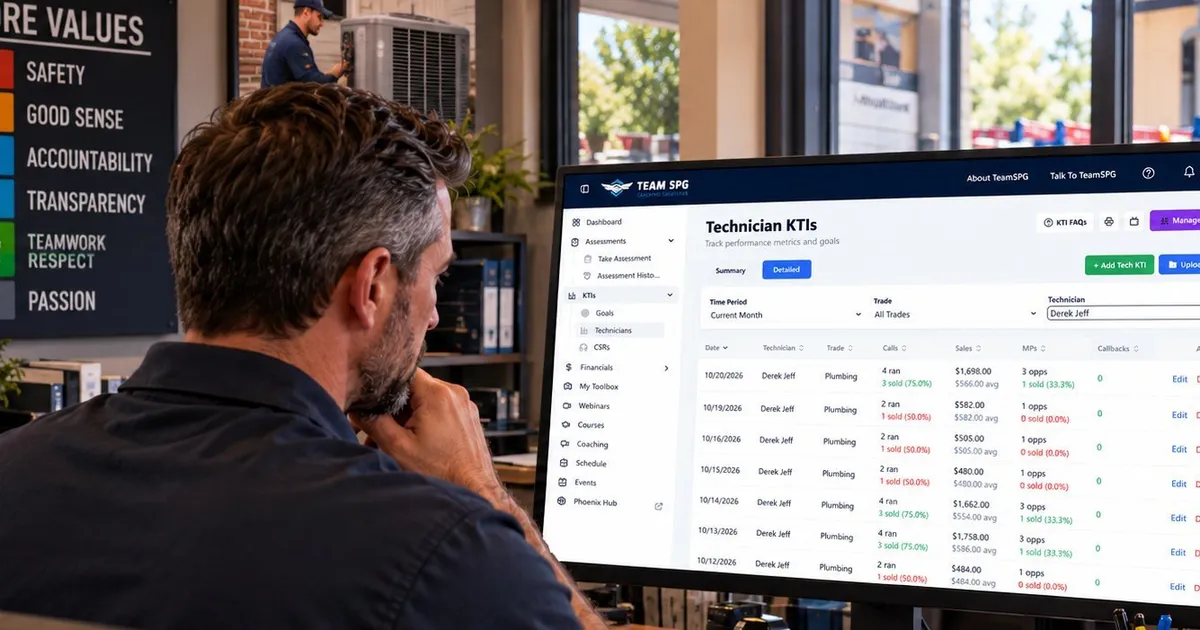
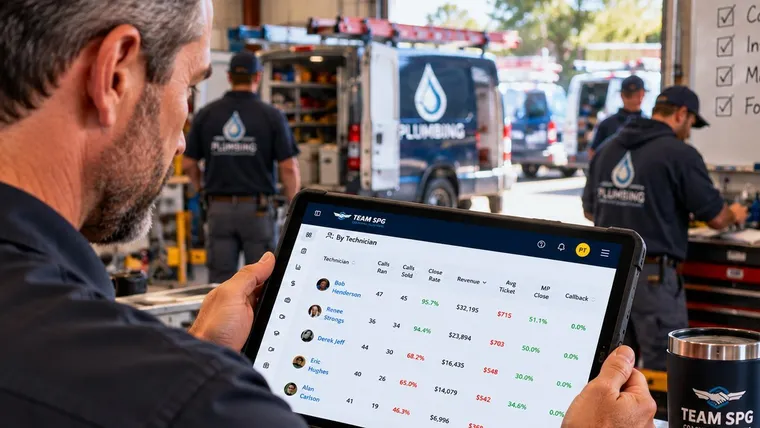
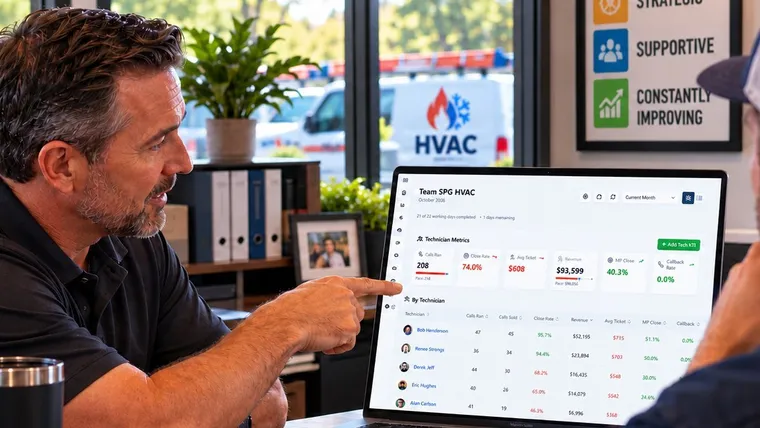
Track six numbers per technician per day: calls ran, calls sold, revenue, maintenance plan chances, plans sold, and callbacks. You or your service manager enter them. Set a goal for each by trade and read the red ones first. That is employee performance tracking for a shop. It needs no CRM, no integration, and no paid software. SOS from Team SPG does it free.
Tracking a tech is a habit, not a software problem
A tech's performance shows up on every call. Did he sell the job? How big was the ticket? Did he offer the maintenance plan? Did the customer call back about the work? Those answers are already on your invoices. The hard part is not finding the data. It is writing it down in the same place every day so you can read it.
Most guides for the trades assume your field service software feeds the numbers. Some shops do not run that software. Others run it and still cannot get a clean per-tech report out of it. This article is for both.
Step 1: Pick the six numbers
You enter six things per tech per day:
- Calls ran
- Calls sold
- Revenue
- Maintenance plan chances
- Maintenance plans sold
- Callbacks
SOS works out close rate, average ticket, maintenance plan close rate, and callback rate from those six. The full list of what each number means is on the KPIs page.
The test for whether a number belongs on the list is simple. If a low number does not tell you what to teach, leave it off. Drive time and billable hours are real numbers. They do not tell you what to work on with a tech next week.
Step 2: Set a goal per trade
A number without a goal is just a number. In SOS you set a goal per trade for close rate, revenue, average ticket, maintenance plan close rate, and callback rate. HVAC and plumbing get different goals because they are different jobs. Start from your own last few months and raise the goal once the team hits it. How goals work, including effective dates, is covered on the KPIs page.
Step 3: Decide who enters the numbers
The owner or the service manager enters the numbers. Not the tech. Entry belongs to one person in the office, done at the same time every day, from the closed tickets. When two people enter, the counting drifts and the techs stop trusting the table.
Daily is best. A tech can fix this week while the week is still happening. Weekly works. Monthly turns the tracker into a report, and nobody gets trained off a report.
Before the first entry, agree on how you count a multi-day job, a deposit, and two techs on one call. Most bad numbers come from counting, not from techs. The counting rules are on the KPIs page. Write them down and hand them to whoever enters.
Step 4: Read red first
Open the table and sort by close rate. The red cells are the numbers below the goal you set. Read close rate and average ticket together, because each one points at a different part of the service call.
- Close rate is red. The tech is losing the customer before the work talk starts. The problem is the opening of the call.
- Average ticket is red. The tech is closing, but fixing only the one thing he was called for. The problem is the assessment and the options.
- Maintenance plan close rate is red. The plan is not being offered, or the tech cannot explain why it matters.
- Callbacks are up. Look for a pattern in the type of repair before you decide it is the tech.
What to train for each one is its own topic. The short version: red close rate means train the first ten minutes of the call. Red average ticket means train the full assessment and three options on every call. Red plan rate means the tech does not see the value of the plan himself, so start there.
Before you pick the training, ask one more question. Is this a skill problem, a mindset problem, or missed opportunities? A tech who does not know how to present three options needs practice. A tech who knows how and skips it because he is afraid of objections needs a different conversation. A tech whose numbers only dip on certain kinds of calls needs you to look at those calls.
Step 5: Five minutes a day, one tech a week
The routine that makes this work is short.
Daily. Spend five minutes on the table. You are looking for red, for a number that moved a lot since yesterday, and for a tech whose numbers jump around. You are not coaching yet.
Weekly. Pick one technician for a one on one. Not the whole team, and not always the worst one. Choose someone who is inconsistent, or trending down, or who you think would respond to attention. Open his card in SOS and look at his last four weeks, not one day. Trends mean something. Single days do not.
The one on one has four parts. Start by recognizing something he did well, even if the month is off. Then review last week's goal, and let him talk first about how it went. Then set one goal for one week, written as a behavior, not a number. "Ask five relationship questions on every call" is a goal. "Raise your close rate" is not. Say why it matters. Then put the follow up date on the calendar and tell him he can come to you before then.
Match the goal to the problem. An inconsistent tech gets "follow the full call process on every call this week." A tech who rushes the opening gets a question count. A tech who avoids objections gets "present all three options even when the customer seems hesitant." A tech who has lost interest gets something that builds ownership, like leading one morning huddle.
Celebrate the improvement in front of the team. Have the hard conversation in private.
Step 6: When the table says ride along
When close rate and average ticket are both red, stop reading the table and get in the truck. There are three kinds of ride-alongs.
- An observation ride is for finding out what is really happening. You watch and take notes. You do not step in, even when he skips a step.
- A coaching ride is for a tech working on one specific behavior. You pause between calls, not during, and keep it to one or two things.
- A pairing ride puts a developing tech with your best one, with no manager in the truck. It is the least used of the three and often the most useful.
Schedule it a day ahead. Tell him which kind it is, and tell him why. Afterward, let him say how it went before you do. Give him one thing he did well and one thing to change, then set the next step. The ride along is not finished until the debrief is.
What makes it stick
Tracking fails for three reasons. The expectation was never written down, so the tech can say he did not know. Nobody followed up, so he assumed it did not matter. Or the team treats the standard as a suggestion, so it slips on busy days.
Write the standard down. Check in on the date you said. Praise the techs who hold it. The table in SOS gives you the facts for all three.
Every tech gets his own login and sees his own numbers against his goals. Managers see the team. Owners see everyone. Start on the KPIs page, add your techs, and enter this week.

Related questions
What if the tech says his numbers are wrong?
Open his card together. Every entry is behind the number, with the date. Most disputes are a counting question, such as a deposit that was entered as a sale or a callback that was not his. Fix the entry if he is right. If the counting rules were followed, the number stands. Either way, the conversation moves from the number to the call.
What if I do not have a service manager?
Then the owner enters the numbers. It takes a few minutes a day from the closed tickets. If that is more than you can hold to, enter weekly from the week's invoices instead. Weekly entry done every week beats daily entry that stops in month two.
What do I do with a tech who is red in everything?
Do not give him four goals. Ride along first, with an observation ride, and find the one thing that happens earliest in the call. Usually it is the opening. Fix that one thing for a week. Close rate moves first, and average ticket often follows without a separate goal.
Is a callback the tech's fault?
Sometimes. A real callback is one call ran, no sale, and one callback against the tech who did the original work. If the return visit was not his fault and he sells more work on it, count it as a normal call. Before you coach callbacks, look for a pattern. One callback is a job. Three in a month on the same kind of repair is a training topic.